5 WhatsApp Templates to Reduce Cancellations
Get access to five ready-to-use WhatsApp templates that keep your dental chair occupied, manage patient cancellations, and improve booking attendance.

A missed appointment affects capacity and may affect revenue. The amount depends on the treatment, replacement bookings and actual costs; a reminder is not a guarantee of recovery.
Use timely, relevant messages and measure attendance before and after a change. The WhatsApp workflow overview explains the surrounding process; no fixed reduction is established here.
This guide provides five proven, copy-pasteable WhatsApp reminder templates that you can implement in your clinic operations immediately to maximize chair utilization and keep your schedule full.
The Core Elements of a High-Conversion Reminder Template
A reminder template that gets read and acted upon must include three structural elements:
Clear Personalization
Always include the patient's first name, the scheduled doctor's name, and the specific clinic location. Generic messages look like spam and are ignored.
Actionable Instructions
If the patient needs to prepare for their treatment - like fasting for a surgery or bringing previous X-rays - include this in the message. It frames the reminder as a medical instruction rather than a reminder call.
Friction-Free Interactive Buttons
Use supported quick-reply buttons for clear actions such as confirmation or rescheduling. Test the actual patient flow rather than assuming a response-rate uplift.
5 Copy-Pasteable WhatsApp Reminder Templates
Template 1: The Immediate Booking Confirmation
Send this immediately after booking to record the slot in the patient's calendar.
- Trigger: Immediate upon appointment creation.
- Template: "Hi [PatientName], your appointment with Dr. [DoctorName] at [ClinicName] is confirmed for [Date] at [Time]. Please tap the link below for directions: [MapLink]. Re-scheduling is free up to 24 hours prior. We look forward to seeing you!"
Template 2: The 24-Hour Confirmation Check (Interactive)
Send this exactly 24 hours before the appointment to lock in the slot.
- Trigger: 24 hours prior to appointment.
- Template: "Hi [PatientName], this is a reminder for your upcoming appointment tomorrow at [Time] with Dr. [DoctorName]. Please tap one of the buttons below to confirm or request a new slot: [Button: Confirm Appointment] [Button: Reschedule Visit]"
Template 3: The 2-Hour Actionable Reminder (Logistics & Prep)
Send this shortly before the visit to guide the patient to the clinic.
- Trigger: 2 hours prior to appointment.
- Template: "Hi [PatientName], we are preparing the operatory for your visit today at [Time]. Please remember: [Instruction] (e.g. Bring your previous X-rays). Parking is available in Basement B2. See you soon!"
Template 4: A Staff-Reviewed Confirmation Follow-Up
A lack of reply does not mean the patient has cancelled. Have staff check the clinic policy and contact the patient before changing the booking.
- Trigger: A staff-reviewed follow-up when a confirmation is outstanding; do not automatically cancel solely for non-response.
- Template: "Hi [PatientName], as we did not receive confirmation for your slot today at [Time], we have released it to waitlisted emergency patients. To rebook your appointment, please select an open slot here: [BookingLink] or call us at [Phone]."
Template 5: The Post-No-Show Recovery Trigger
Send this immediately if the patient fails to show up, pulling them back into the schedule before the lead goes cold.
- Trigger: 15 minutes after a missed appointment.
- Template: "Hi [PatientName], we missed you today at [ClinicName] for your slot at [Time]. We hope everything is okay. We would love to help you get back on track. Tap here to easily reschedule your appointment: [BookingLink] or call us at [Phone]."
Common Mistakes Dentists Make
Avoid these three communication mistakes:
1. Sending Messages from Personal Numbers
Use supported business messaging and recorded permission. Unwanted messages can lead to reports and restrictions; an official account does not guarantee immunity.
2. Not Including Interactive Buttons
Clear action buttons can reduce typing, but some patients need a call or assistance. Offer a fallback and monitor actual responses.
3. Ignoring the 24-Hour Window
If you remind patients only 2 hours before the slot, they will cancel too late, leaving you with an empty chair that cannot be filled. Always confirm 24 hours prior.
Configuring Automated Workflows
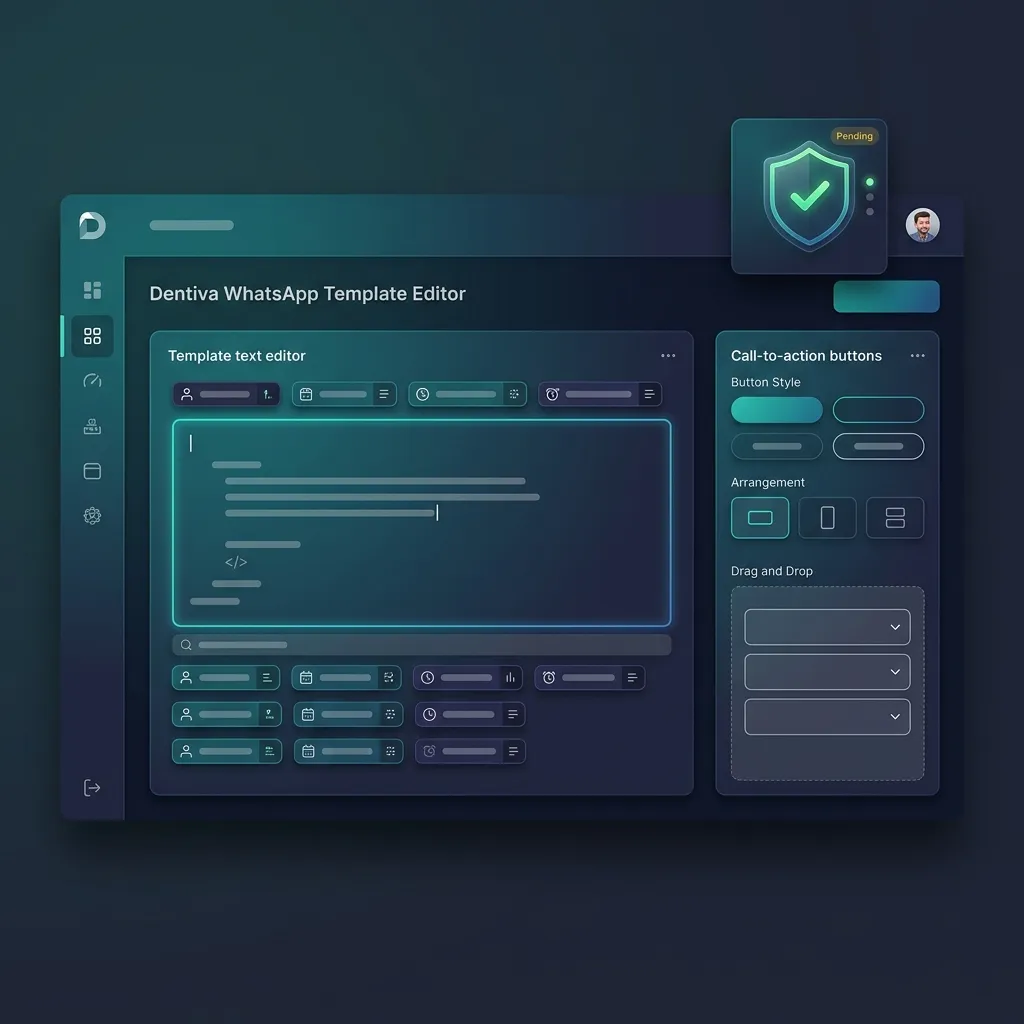 Screenshot: Dentiva WhatsApp Template Editor with Buttons
As practices grow, copy-pasting these templates manually becomes impossible. Modern clinic management platforms simplify this operational burden.
By integrating your scheduler directly with a WhatsApp communication engine like Dentiva, these templates are dynamically filled with database variables (patient name, date, doctor name) and sent automatically based on calendar status, saving hours of manual labor for your front-desk team.
Quick Action Checklist
Cut your no-shows with this checklist:
Frequently Asked Questions (FAQ)
What is a WhatsApp Business Account (WABA)?
A WABA is a WhatsApp Business Account used to manage supported business messaging. Verification, templates and delivery are separate processes; none makes an account immune to restrictions.
How do quick-reply buttons work on WhatsApp?
Quick-reply buttons are pre-configured response options that appear directly below your WhatsApp template. When a patient taps a button, it sends an automated response (e.g. "Confirm") back to your system, which instantly updates your scheduler.
Can we customize templates based on treatment type?
Yes, you should customize templates. For example, surgical procedures (implants, extractions) should include specific preparation instructions (fasting, previous records), while check-ups can remain general.
How does reducing no-shows affect associate dentist compensation?
Associate doctors and consultants are usually paid on a per-procedure revenue share. Reducing no-shows ensures their time is utilized productively, increasing their earnings and improving consultant retention.
To evaluate this workflow, review Dentiva's whatsapp reminders features and check the actual screens, plan and permissions in a demo.
The Database Reactivation Playbook
Discover how to audit dormant patient records, segment your files, and execute recall campaigns that recover lost treatment cases.


